How to find and register for Low and Zero Textbook Cost (LTC/ZTC) courses
The following video explain how to search for low and Zero textbook cost in the class scheduler.
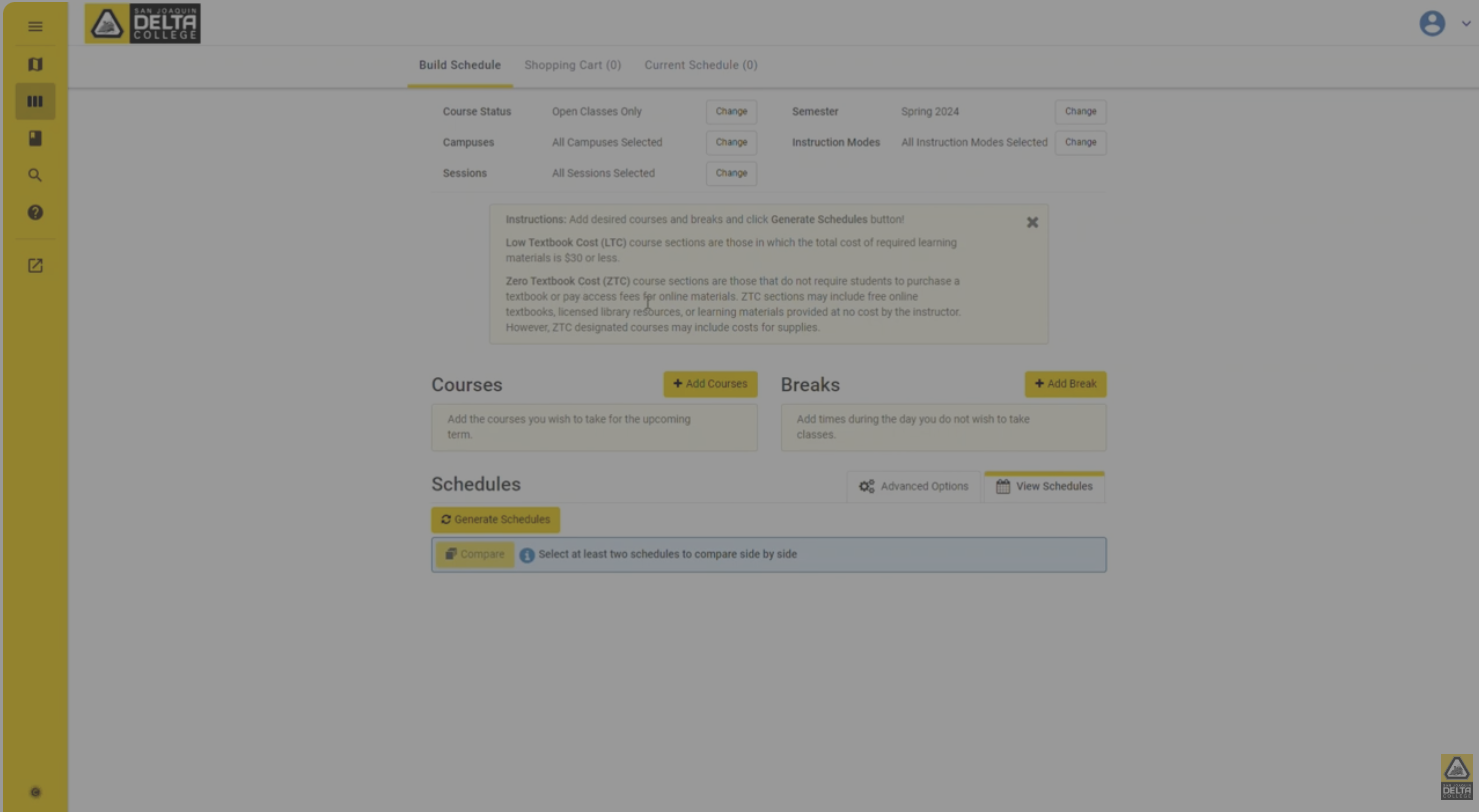
Step-by-Step guide for searching Low and Zero Textbook cost.
- From the MyDelta Dashboard, select the "MyDelta" tile.
- within My Delta, select the "Class Search" tile.
- Select your semester and campus.
- You will see a notice about the Zero Textbook Cost course sections.
- To search for classes with Zero Textbook Cost, Click on "+ Add Courses" button on the top of the Courses Section.
- Select "By Textbook Cost" tab and select the "Attribute" pulldown field and select "Class has no textbook-related costs".
- Select the "Subject" pulldown field to filter by subject or select "All Subject" to view all courses.
- Select the "Course " pulldown field to select a course and click "+ Add Course" to add it to your selection of classes you wish to register for and will show under the "Courses" to the right of the page.
- You can repeat this for another course by changing the "Subject" and/or "Course" pulldown fields to select another course and select "+ Add Course" to add it to the list.
- Click "Done" when adding course to your cart and you can complete registration by generating schedules, clicking view, Send to Cart, and Register when registration is open.