You may not be able to see or enter your online course until the class start date. Please check your course start date in the Schedule of Classes to verify when the course begins.
Log into Canvas through your MyDelta Dashboard.
To access your online class, you need to log into Canvas through your MyDelta Dashboard.
How to Log into Canvas
- Go to your MyDelta Dashboard: https://okta.deltacollege.edu/
- Log-in using your username and password
- Username Example: if your Delta Student Email Address is jsmith123@mustangs.deltacollege.edu, your Username will be: jsmith123
Enter your password.
- Username Example: if your Delta Student Email Address is jsmith123@mustangs.deltacollege.edu, your Username will be: jsmith123
- Click sign in and you will be redirected to your MyDelta Dashboard where you will be able to access Canvas.
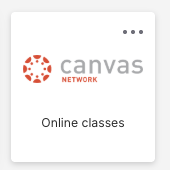
- Canvas will appear there as a tile you can click on to enter Canvas, like this:
AP 4115 State Authorization, Distance Education
Effective July 1, 2014, San Joaquin Delta Community College District will no longer offer internet courses to students residing outside of California and online teaching opportunities to faculty members who live outside of the state. Under recent federal regulations the District will be required to obtain legal authorization from the home state of all students residing outside of California in order to offer internet courses to those individuals, and for all faculty members who reside out of the state to teach internet courses. As the primary mission of the District is to serve students within its service area the District will not be pursuing authorization to operate outside of the state of California.
References: Code of Federal Regulations, Title 34: Education, § 668.43: Institutional Information, part (b); § 600.9: State Authorization, part (c)