Prior to registering, you can view the required textbooks for a class from Class Search and Enroll. After you have registered for a class, you can also see the required textbooks from View My Classes.
View Textbooks for Classes You Are Enrolled In
- Log in to MyDelta
- From your MyDelta homepage, click the Manage Classes icon.
- Click on View My Classes from the left sidebar menu.
- Select the term you want to view classes for.
Under the course listing, click on the row of the class you wish to view.
Image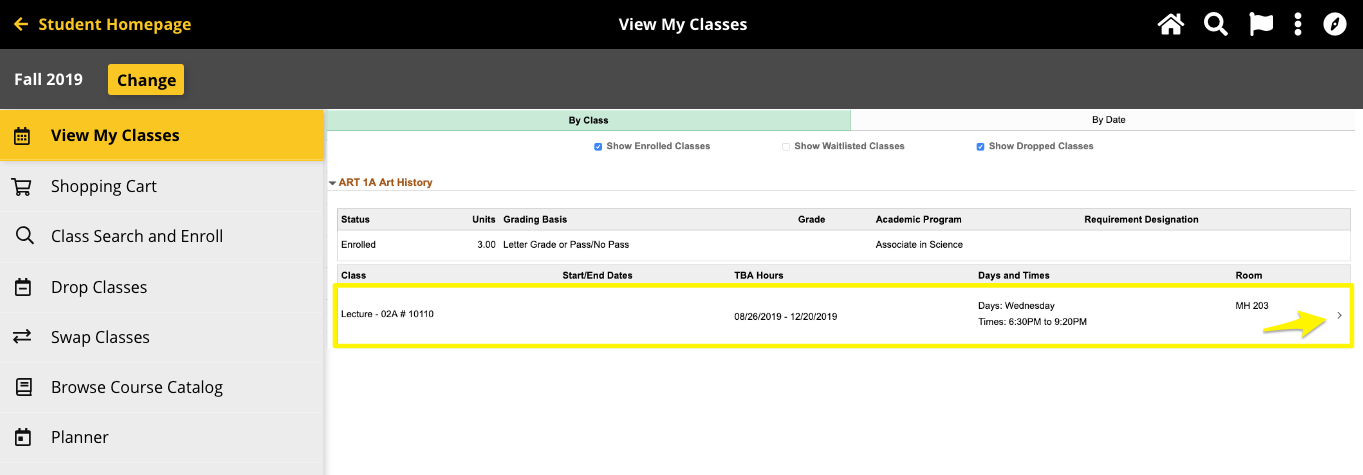
- Click on the Textbook/Other Information Tab
If required textbooks are available for the class, you will see a Purchase Textbook button. Click on the button.
Image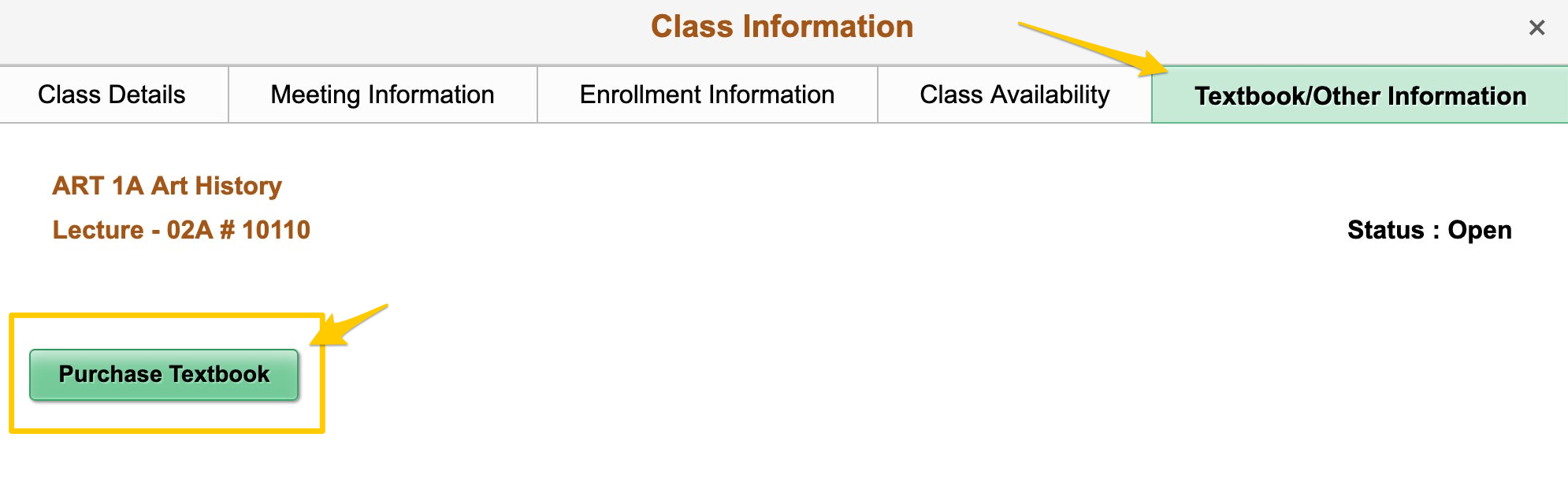
- This will open the Delta College Bookstore page for your class.
View Textbooks From Class Search and Enroll
- Log in to MyDelta
- From your MyDelta homepage, click the Manage Classes icon.
- Click on Class Search and Enroll from the left sidebar menu.
- Use the search to find the course you want to see textbooks for.
Once viewing the course, click on the link under Class to open additional information about the class
Image
- Click on the Textbook/Other Information Tab
If required textbooks are available for the class, you will see a Purchase Textbook button. Click on the button.
Image
- This will open the Delta College Bookstore page for the class which displays textbook information.