Image
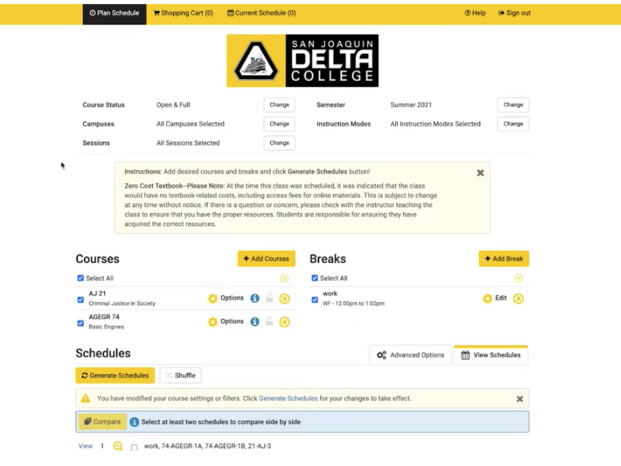
Planning your classes has gotten easier!
The Class Search includes new tools to help you build your ideal schedule and register! Once logged in to the Class Search, you’ll be able to:
- Search and select available classes
- Add breaks to your schedule for when you can’t (or don’t want) to take classes
- Automatically generate all the possible conflict-free schedules for you to choose
- Send Your selected schedule to your “Shopping Cart”
- On your registration day and time, register for all classes in your schedule
- Continue to Add/Drop classes as needed.
Launch the class search tool from the MyDelta Portal or directly on the MyDelta Dashboard
Image
Video - How to Register for classes using the Schedule Planner