CampusLogic is a digital platform colleges use to streamline financial‑aid processing. Instead of paper forms and manual document submission, students can submit required documents online.
To use, Log into MyDelta Dashboard and select the CampusLogic tile. Here you can complete financial aid tasks including the electronic submission of documents.
Start Using in Four Easy Steps
- Go to MyDelta
MyDelta
Check your to-do list of tasks
Image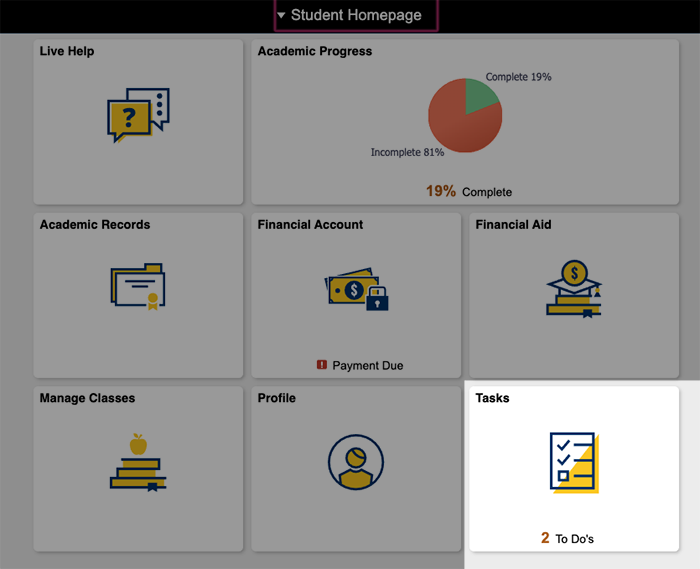
- If you have documents that need to be completed, you will see the following item: FA Verification Review Req. Clicking on this financial aid task will take you to the CampusLogic portal. If this is your first time using the tool, you’ll need to create an account.
- Use your MyDelta Dashboard (okta) single sign-on to access the program. Need help using okta?
If you have questions about CampusLogic, please go to the financial aid page and chat live with an agent during business hours.
Frequently Asked Questions
- Go to MyDelta
MyDelta Portal
Check your to-do list of tasks

- If you have documents that need to be completed, you will see the following item: FA Verification Review Req. Clicking on this financial aid task will take you to the CampusLogic portal. If this is your first time using the tool, you’ll need to create an account.
- Use your MyDelta Dashboard (okta) single sign-on to access the program. Need help using okta?
If you have questions about CampusLogic, please go to the financial aid page and chat live with an agent during business hours.
With CampusLogic, you will still use MyDelta to access your list of to-do items and check on the status of your financial aid awards and disbursements.
CampusLogic will simplify forms and allow forms to be submitted securely from any device – phone, laptop or desktop computer. This will make the process easier and more efficient for students. We expect it will also substantially reduce processing times so you can receive your aid as quickly as possible.
CampusLogic is a new financial aid tool that will allow you to submit financial aid supporting documents electronically. This tool is used at many other California community colleges.