Using MyDeltaDashboard (Okta) to provide secure identity management with Single Sign-On.
- Go to https://deltacollege.okta.com
Log in with your current email address and password
Image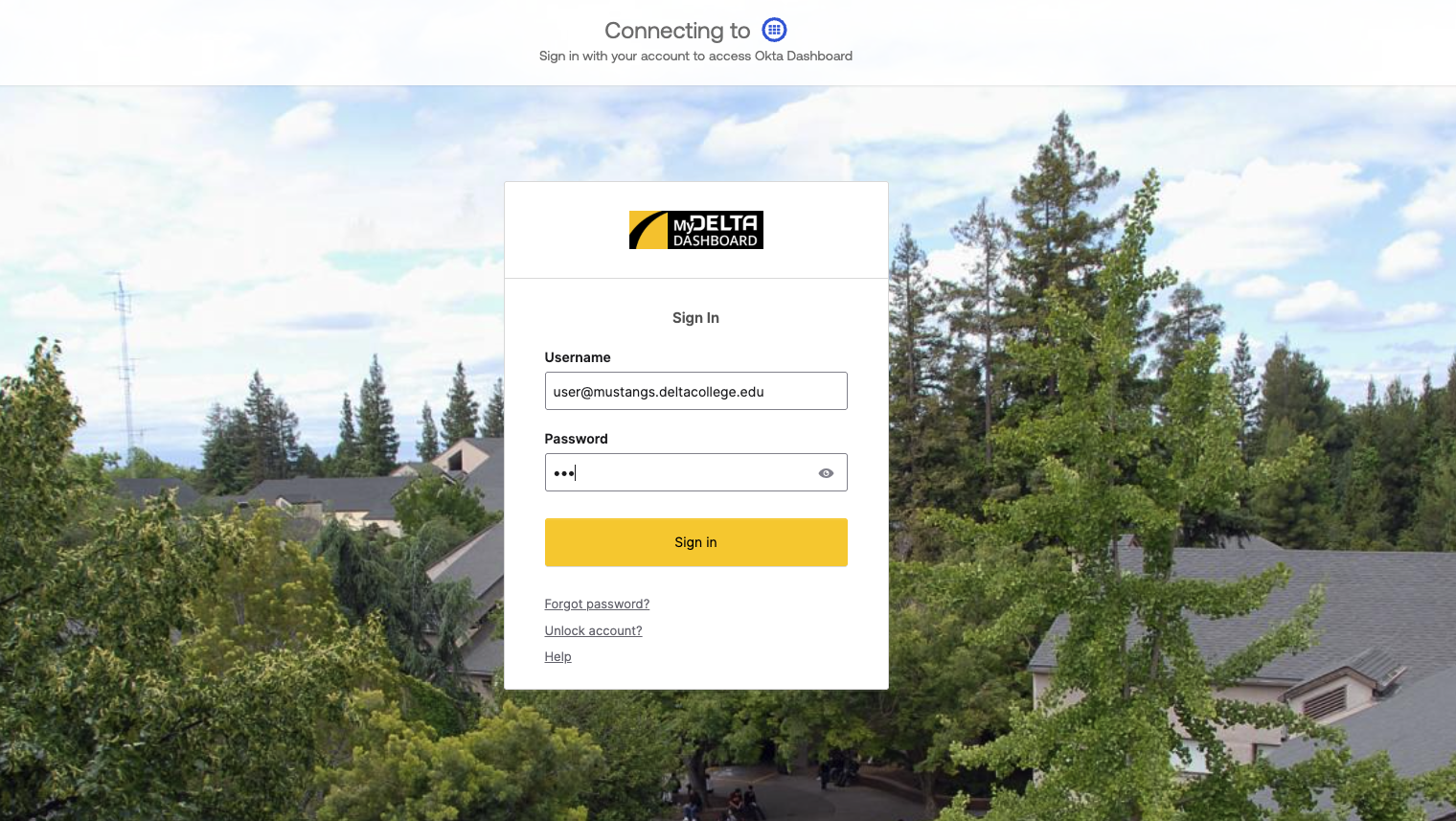
Once logged in, click on you name at the top right to get the dropdown menu. Then click on "Account Settings".
Image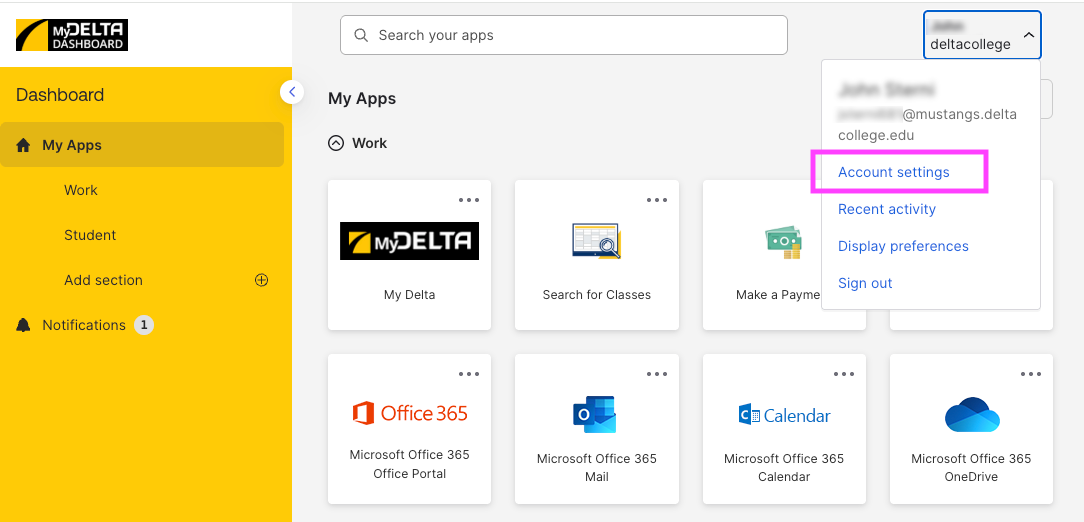
On this page you will see a section called Security Methods and under there setting for Password. Click on the Reset button that follows it.
Image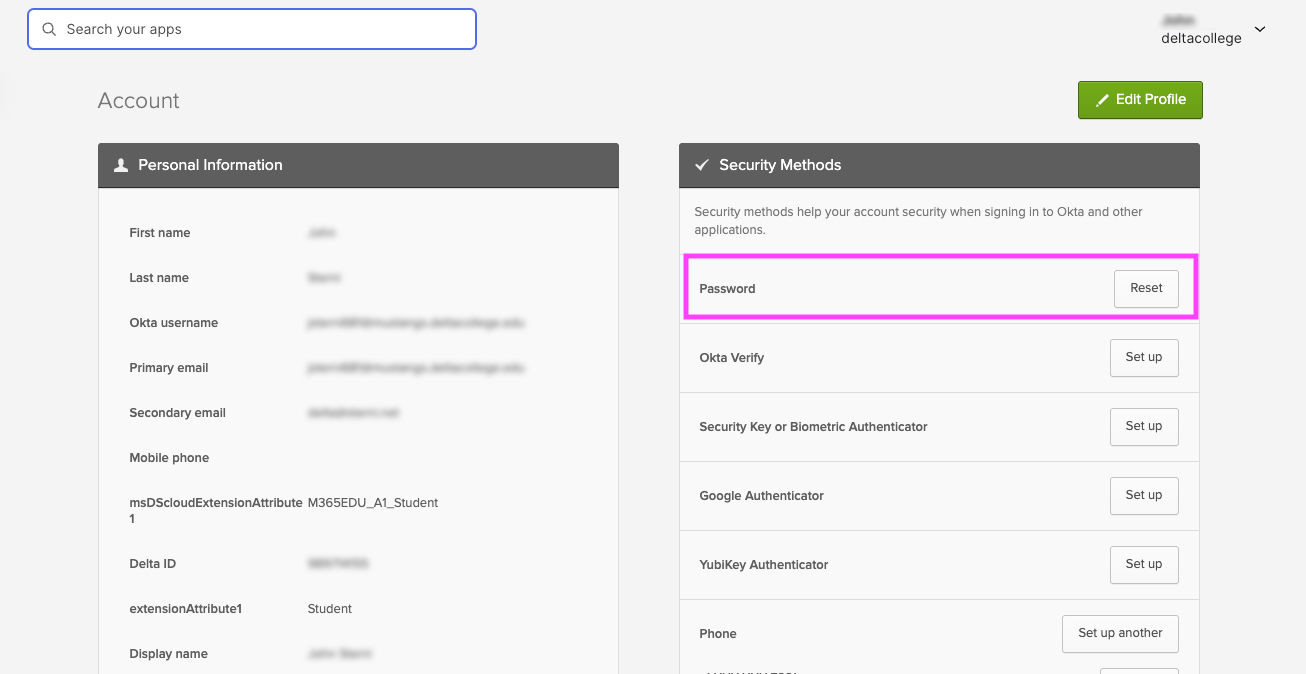
- It will ask you "Are you are sure you want to reset password?", select Yes.
- Depending on your current verification method(s) that you have set up, it will ask you for your current password and prompt you to complete the multi-factor verification method. Please be sure to follow the instructions.
When you will see the Reset your deltacollege password
Image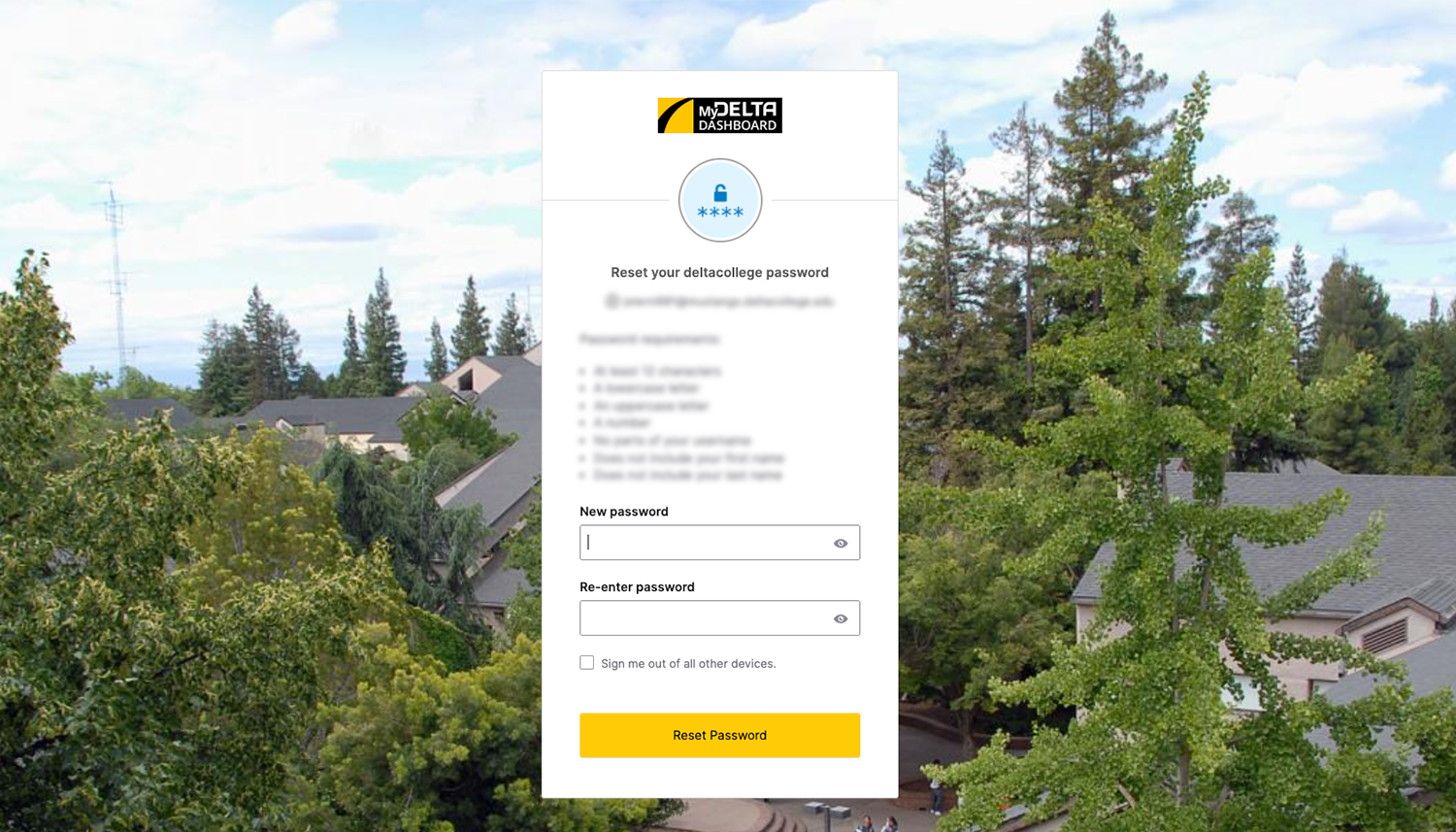
- Make sure to follow the password requirements.
- Click on Reset Password button to change it.
- It may take up to 2 minutes before your password is changed around the various application in MyDelta Dashboard.