Image
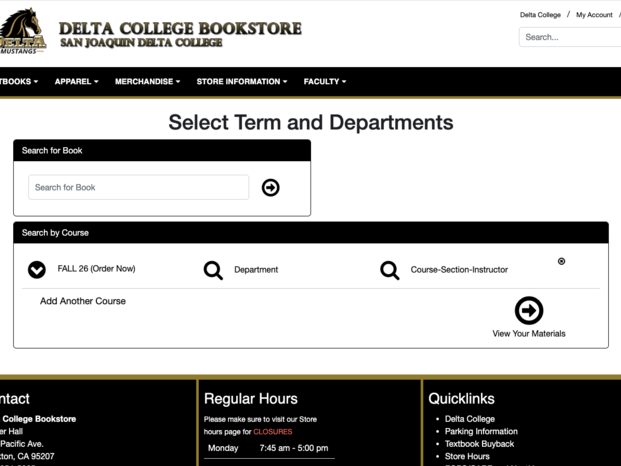
If you're looking for the required textbooks for your classes, the Delta College Bookstore makes it easy to search by your course information.
- Go to the Delta College Bookstore website (https://bookstore.deltacollege.edu)
- Select Textbooks > Order Books.
- Read the policy, then click on the "I agree, continue to Course Materials" button.
- To search for your course, go to the "Search by Course" section.
- Choose the "Your Term" you're enrolled in. The current Term should already be selected. If not, click on the Your Term to select the current term.
- Select the "Department", "Course-Section-Instructor" for your course. A drop-down menu will appear listing courses. Once you select the appropriate "Course-Section-Instructor" it will save it to the list and a new line will display to select another course.
- You can additional courses if you want. or if a new option is not list select "Add Course to List".
- When you've added all of your courses, click View Your Materials to view a complete list of required and optional textbooks and course materials for all of your selected classes.
- From there, you can review available formats, pricing, and purchase options.